OneKey Pro Review 2026: Air-Gap QR Signing and Four EAL 6+ Chips
The OneKey Pro is the USD 278 flagship of OneKey’s hardware wallet range: four EAL 6+ secure elements, a 3.5-inch colour touchscreen, fingerprint unlock and camera-based air-gap QR signing that never needs a cable.
Most hardware wallets ask you to approve a transaction on a screen the size of a postage stamp. The OneKey Pro takes the opposite position. At USD 278 it is the most expensive device OneKey sells, and almost everything the extra money buys exists to make what you are signing legible before you sign it: a 3.5-inch colour touchscreen, a camera that completes signatures without a cable, a fingerprint sensor, and four certified secure elements instead of one.
This is a desk review. Every figure below comes from OneKey's own product pages and published specification sheets rather than from a unit on a bench, and the claims that are the company's own are labelled as such. What follows is what the OneKey Pro is specified to do, what that specification actually means, and where it lands against the cheaper Classic 1S line.
What the OneKey Pro is, priced
The OneKey Pro sits at the top of a three-device range on the official OneKey store, priced at USD 278 against USD 99 for the Classic 1S and USD 79 for the battery-free Classic 1S Pure. OneKey lists the Pro with free shipping, and its store terms set free delivery on orders above USD 99, a 7-day return window and a 12-month warranty, with crypto accepted at checkout.
In the box: the OneKey Pro, a USB Type-C cable and three recovery sheets. The device measures 90.1 x 54.4 x 7.6 mm and weighs 65 g, with a textured matte glass back and a glossy aluminium alloy frame. That is roughly a credit card footprint with real thickness to it, which is what you would expect from something carrying a touchscreen, a camera and a battery.
Four EAL 6+ secure elements inside the OneKey Pro
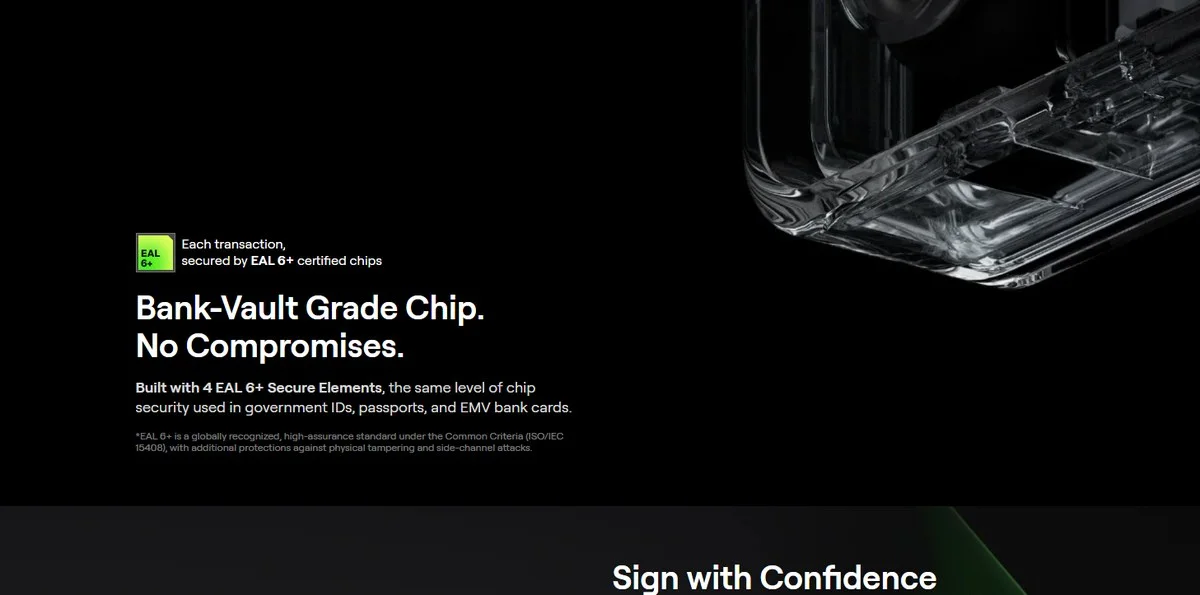
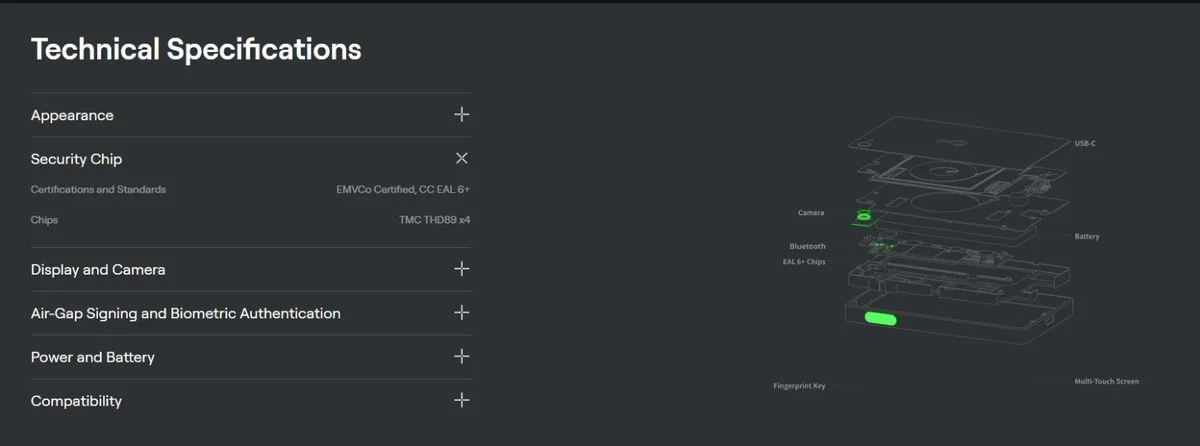
The headline on OneKey's own page is blunt: the OneKey Pro is "built with 4 EAL 6+ Secure Elements, the same level of chip security used in government IDs, passports, and EMV bank cards." The specification panel is more precise. Under Certifications and Standards it lists "EMVCo Certified, CC EAL 6+", and under Chips it names "TMC THD89 x4".
Two things are worth separating here. EAL 6+ is an assurance level under the Common Criteria scheme, ISO/IEC 15408, and OneKey's own footnote describes it as a high-assurance standard "with additional protections against physical tampering and side-channel attacks." EMVCo, meanwhile, is the body that runs the payment-card security specifications that the same chip families are tested against; you can read its remit on the EMVCo site. Both certifications attach to the silicon, not to the finished wallet, and that distinction holds for every hardware wallet on the market, not just this one.
What four secure elements buy you in practice is separation. Key storage, the fingerprint path, the secure boot chain and the signing routine do not have to share a single piece of silicon, which narrows what a successful attack on any one of them can reach.
Air-gap QR signing is the OneKey Pro's headline workflow
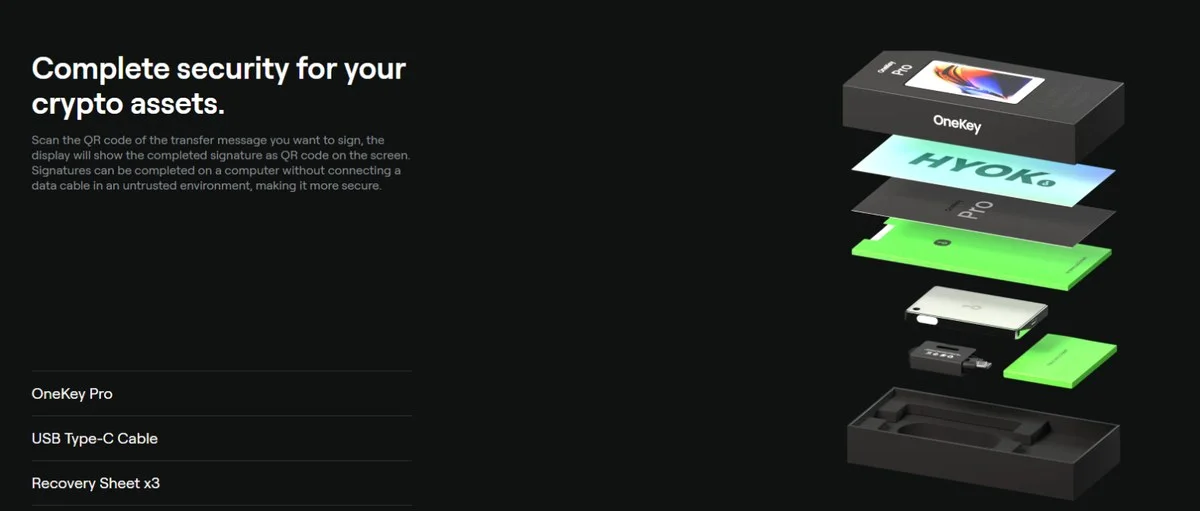
OneKey describes the workflow in one sentence: "Scan the QR code of the transfer message you want to sign, the display will show the completed signature as QR code on the screen. Signatures can be completed on a computer without connecting a data cable in an untrusted environment, making it more secure."
That is what the HD camera with flashlight on the back of the OneKey Pro is for. The unsigned transaction travels from your computer to the device as a QR code; the signature travels back the same way. No cable, no Bluetooth pairing, no USB stack between a hostile machine and your keys. The specification panel lists the Pro's connectivity as USB-C, Bluetooth and air-gap QR, and its unlock methods as PIN code and fingerprint.
One inconsistency is worth flagging rather than smoothing over. OneKey's comparison grid lists the Pro's connectivity as "USB-C, Bluetooth, QR, NFC", while the Technical Specifications panel on the same page lists only USB-C, Bluetooth and air-gap QR. NFC appears on the comparison row immediately beside OneKey Lite support, so the most natural reading is that NFC is there for the Lite backup card rather than as a transaction channel. Either way, the air-gap path is the QR path.
Why the 3.5-inch screen counts as a security feature
A hardware wallet can only protect you from approving something you did not intend if it can show you what you are approving. The OneKey Pro's display is a 3.5-inch IPS colour touchscreen at 480 x 800, driven by a seven-LED edge backlight at 140 nits, behind tempered glass with an oleophobic coating. OneKey's own comparison line for it is "see full transaction details on device".
Set that against the other two models in the range, which both use a 1.54-inch monochrome OLED at 128 x 64 with an anti-glare polariser and physical buttons. Those are perfectly serviceable screens for checking an address and a figure. They are not screens for reading a contract call. If you spend your time in DeFi rather than moving coins between two addresses you control, that gap is the single clearest reason to look at the OneKey Pro rather than the cheaper devices.
Clear Signing and SignGuard before you approve
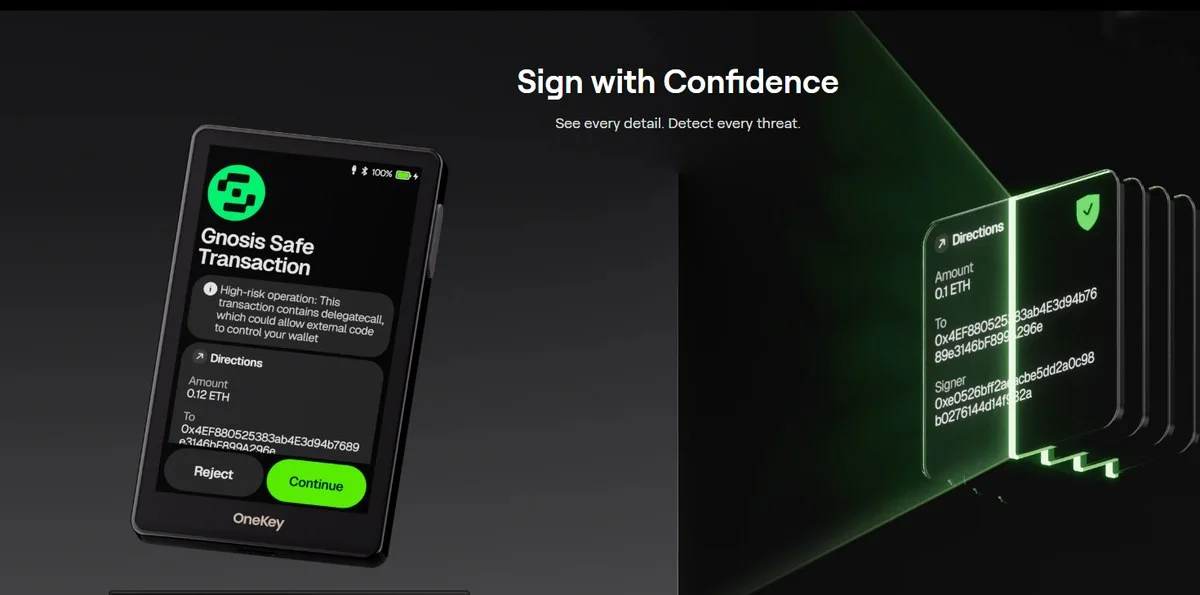
Clear Signing is the feature that uses that screen. Instead of a hash, the OneKey Pro renders the method, allowance, address and amount of the transaction you are about to sign, with warnings layered on top. OneKey's illustration shows a Gnosis Safe transaction flagged as a high-risk operation because it contains a delegatecall "which could allow external code to control your wallet" — exactly the class of approval that costs people their balances.
Around it sits SignGuard, which OneKey says flags malicious contracts, phishing sites, drainers and fake tokens before you sign, with alerts "powered by GoPlus and Blockaid". The company states this blocks "over 1M+ scams every year". That figure is OneKey's own, is not independently audited as far as we can tell, and should be read as a vendor claim rather than a measured result. The underlying mechanism — third-party risk feeds surfaced on the device screen before signature — is verifiable from the product documentation regardless of the number attached to it.
Fingerprint, PIN and the hidden wallet on the OneKey Pro
The OneKey Pro unlocks by PIN or fingerprint, and OneKey wraps both in a set of defensive behaviours it publishes openly:
Tamper-evident packaging, so an opened box is visible before the device is ever powered on.
Firmware attestation on first activation, checking the device is running authentic, unmodified firmware.
PIN protection with a data wipe after multiple failed attempts.
Auto-wipe if intrusion is detected, such as firmware modification.
On top of that sits the passphrase system. You create a 24-word recovery phrase with an optional passphrase to derive separate wallets, and the Pro lets you attach a passphrase to a secondary PIN. Enter the regular PIN and you land in your standard accounts; enter the second one and you land in the hidden, passphrase-protected wallet. It is a well-understood pattern, and having it bound to a PIN rather than typed in each time makes it something people will actually use.
Battery, wireless charging and the cold-storage specs
The OneKey Pro runs on a lithium-ion polymer cell, 3.8 V nominal and 4.35 V maximum charge, rated for at least 500 cycles while retaining 80 percent or more of capacity. OneKey's comparison grid puts the capacity at 530 mAh against 110 mAh in the Classic 1S. Charging is by Qi wireless at 2.5 W or over USB-C at 5 V / 2 A.
The number cold-storage buyers will care about most is the standby figure: OneKey says a fully charged Pro "can still power on after ~7 months when stored fully charged", with an explicit footnote that this is typical lab data and that real performance varies with temperature, usage and self-discharge. Operating temperature is 0 to 45 C, storage -10 to 45 C. If a wallet lives in a safe for a year rather than seven months, you should expect to charge it before use — which is the honest reading of OneKey's own asterisk.
OneKey Pro vs Classic 1S and Classic 1S Pure
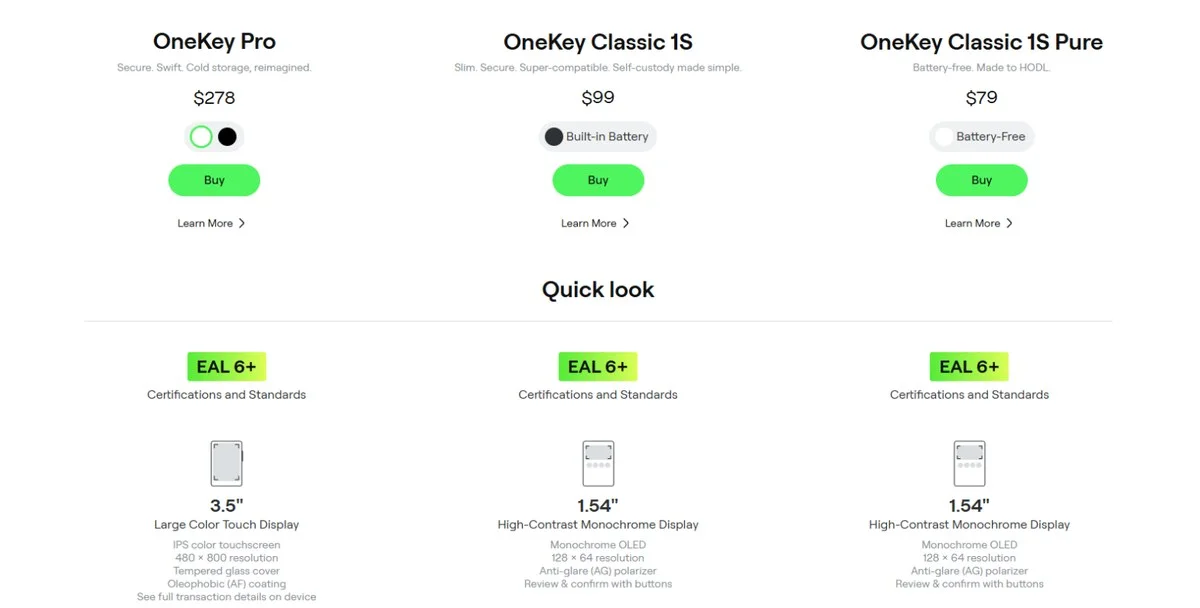
The useful thing about this range is that the security floor does not move. All three devices are listed with EAL 6+ certification; what changes above that line is how much you can see and how you interact with it.
OneKey Pro, USD 278. 3.5-inch colour touchscreen, HD camera for air-gap QR signing, fingerprint unlock, haptic feedback, 530 mAh battery, OneKey Lite support, multi-touch control.
OneKey Classic 1S, USD 99. 1.54-inch monochrome OLED, button control, 110 mAh built-in battery, Bluetooth and USB-C.
OneKey Classic 1S Pure, USD 79. The same 1.54-inch monochrome screen and button control, with no battery at all — nothing to degrade between uses, which is the point for a device you only wake up occasionally.
Read that list as a question about how you transact rather than how much you want to spend. Deep contract interaction argues for the Pro; a long-horizon Bitcoin position that moves twice a year does not.
Chains, apps and the Web2 security-key job
OneKey states the Pro covers more than 100 chains and over 30,000 coins and tokens, naming Bitcoin, Ethereum, USDT, Solana and XRP among them. Those counts are the company's figures. What is checkable is the connectivity around them: WalletConnect v2, plus browser wallets including MetaMask, OKX, Rabby and Sparrow, with NFT and DeFi support out of the box. Multi-signature setups are supported against Ethereum Safe, Solana Squads and Bitcoin Sparrow.
Platform support is broad: Windows 10 and later, macOS 10.11 and later, Ubuntu 12.04 / Fedora 21 / Debian 8 and later, iOS 14 and later, Android 8 and later.
The part most buyers overlook is that the device doubles as a Web2 security key. OneKey says you can sign in with passkeys on supported sites such as Google, GitHub and Binance, which puts your account logins and your keys behind the same piece of hardware. There is also a Bitcoin-only firmware option for anyone who wants the smallest possible attack surface, and OneKey describes the secure-boot design as hardware-rooted and ready for future post-quantum standards — a forward-looking claim rather than a certification, and worth treating as such.
Open source, audits and who stands behind OneKey
OneKey publishes its firmware and apps as open source with reproducible builds on GitHub, and states that the code has been independently audited by SlowMist. Reproducible builds matter more than the word "open" on its own: they are what lets a third party confirm that the binary on the device matches the published source.
The company also discloses its backers — Coinbase Ventures and YZi Labs, previously Binance Labs — while describing itself as remaining fully independent, and says it is co-branded and adopted by Binance, OKX, Bybit and Bitget. Those are commercial relationships the company reports, not security guarantees, and the same applies to its "zero losses since inception" line, which is a claim about history rather than a property of the hardware.
Buying the OneKey Pro: shipping, returns and OneKey Care
Buying direct matters more for hardware wallets than for almost any other product, because a device that has passed through an unknown hand is a device you cannot trust. OneKey sells the Pro through its own store with an "official supply, 100% authentic" commitment, free shipping above USD 99, international delivery with tracking that appears 24 to 48 hours after dispatch, 24/7 support and crypto accepted at checkout.
Warranty is 12 months, and OneKey Care is the part worth reading: on a quality fault OneKey ships a replacement rather than repairing the unit. The company's own wording is "No repairs. No risks. Your private key stays exactly where it belongs, with you." For a sealed security device that is the right policy, because a repair route is a route for a device to leave your control and come back. Current pricing and stock for the OneKey Pro and the rest of the range sit on the official store.
The short version
The OneKey Pro is a USD 278 device whose entire argument is legibility. The chips are certified to the same EAL 6+ level as the cheaper models, so you are not buying a higher security floor — you are buying a 3.5-inch colour screen that can actually show you a contract call, a camera that signs without a cable, a fingerprint sensor, and a battery that holds a charge for months in a drawer.
For anyone signing complex transactions, that is a real difference rather than a cosmetic one. For a buy-and-hold Bitcoin position, the USD 79 Classic 1S Pure does the same cryptographic job for a quarter of the money. Pick the OneKey Pro for what you need to see, not for what you need to store.