The Complete Trezor Range in 2026: Every Wallet, Accessory and What to Skip
Trezor sells six wallet SKUs, two metal backups, five accessories and three bundles — and quietly discontinued the two models that made its name. Here is the whole catalogue, priced, with the parts worth buying and the parts that are not.
Most guides to Trezor wallets review one device. That is useful if you have already decided which one you want, and useless if you have not, because the interesting decisions in this catalogue are not between the three headline devices at all. They are about firmware editions that cost nothing extra, a metal backup that can cost more than the wallet it protects, and a set of accessories that quietly doubles the price of the flagship.
So this is the whole shop, priced from Trezor's own store, in the order you would actually meet it — and a note at the end about the two Trezor wallets that are no longer for sale.
The three wallets
Trezor Safe 3 — USD 59. 0.96-inch monochrome screen, two buttons, EAL6+ secure element, plastic body. A first wallet, or a spare.
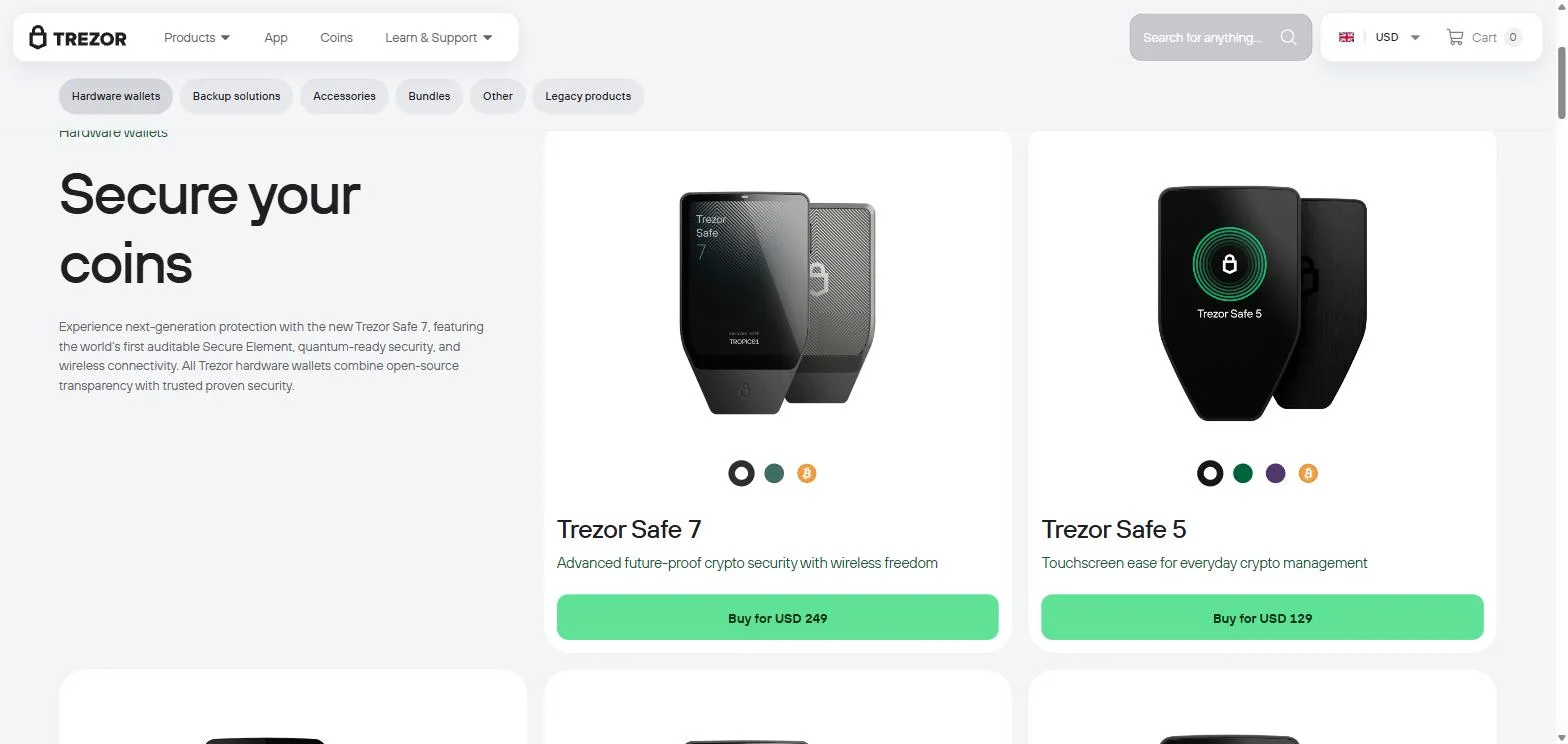
Trezor Safe 5 — USD 129. 1.54-inch colour touchscreen and the upgraded STM32U5 microcontroller. The one most people should buy.
Trezor Safe 7 — USD 249. 2.5-inch colour screen at 700 nits, three chips including the auditable TROPIC01, Bluetooth, battery, aluminium body. For large holdings and phone signing.
All three do the same core job: keep the private key off your computer and force you to confirm every transaction on a screen malware cannot reach. What USD 190 buys you between the bottom and the top of the range is screen size, build material, wireless signing and the newest chip architecture. It does not buy a different kind of security, and any of the three will protect an ordinary user from ordinary threats.
We reviewed the flagship separately in our Trezor Safe 7 review, and set the brand against its main rival in Trezor vs Ledger. This piece is about the catalogue.
The Bitcoin-only editions: a free upgrade almost nobody takes
Here is the most under-discussed line in the whole store. Every one of the three Trezor wallets is also sold as a Bitcoin-only edition, at exactly the same price. Safe 3 Bitcoin-only is USD 59. Safe 5 Bitcoin-only is USD 129. Safe 7 Bitcoin-only is USD 249.
The device is identical. The firmware speaks one protocol instead of many. That means dramatically less code on the device, which means a smaller attack surface, and it means you cannot be phished into signing a transaction for a chain you do not use.
If you hold only Bitcoin, this is a security improvement that costs nothing, and the fact that it is a separate product rather than a toggle is the only reason most buyers never notice it. Take it.
Keep Metal: the part people skip and should not
Trezor sells two metal backups, both at USD 99: Keep Metal 20-word and Keep Metal 24-word. They do the same thing — hold your recovery seed in steel rather than on the paper card in the box — sized for different seed lengths.
Now notice the arithmetic. A Trezor Safe 3 costs USD 59. Its metal backup costs USD 99. The backup costs 68% more than the wallet it protects, and that ratio is not a pricing error. It is a comment on where the risk actually lives.
More people lose crypto to a lost, water-damaged or illegible seed phrase than to any attack in any security paper. The paper card in the box is fine until the day it is not. If you are buying at the bottom of the range to save money, the honest advice is that a Safe 3 plus Keep Metal at USD 158 is a better purchase than a Safe 5 alone at USD 129.
Accessories: what is worth it and what is not
Five accessories, and they are not equal.
Bumper for Safe 5 — USD 10. Cheap insurance for a device you carry. Buy.
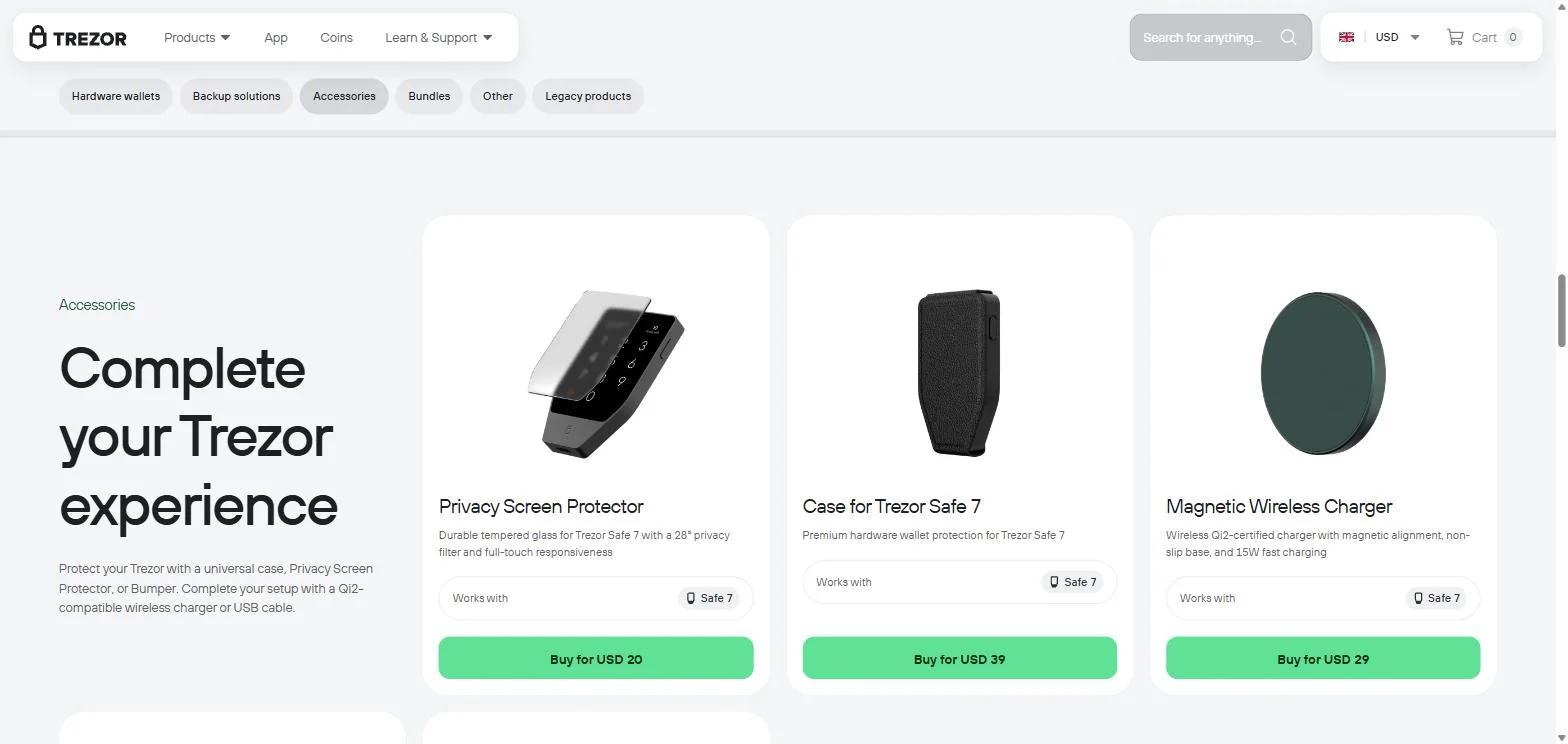
Privacy Screen Protector — USD 20 (Safe 7). A 28-degree privacy filter plus tempered glass. Reasonable if you ever sign in public.
Magnetic Wireless Charger — USD 29 (Safe 7). Qi2, 15W. Convenience only, because the Safe 7 already charges over USB-C. Skip unless you sign daily.
Trezor Universal Case — USD 39 (all models). Vegan leather, magnetic closure. A nice object, not a security product.
Case for Trezor Safe 7 — USD 39. Same verdict as the universal case, less versatile.
Add them all to a flagship and the arithmetic is worth seeing plainly: Safe 7 at USD 249, plus Keep Metal at USD 99, plus the screen protector at USD 20, plus the case at USD 39, plus the charger at USD 29 — USD 436 for a wallet advertised at USD 249.
None of that is hidden and none of it is mandatory. But if you are comparing Trezor wallets against a rival on headline price alone, compare the configurations you will actually own.
The bundles, and the discount that gets smaller as you spend more
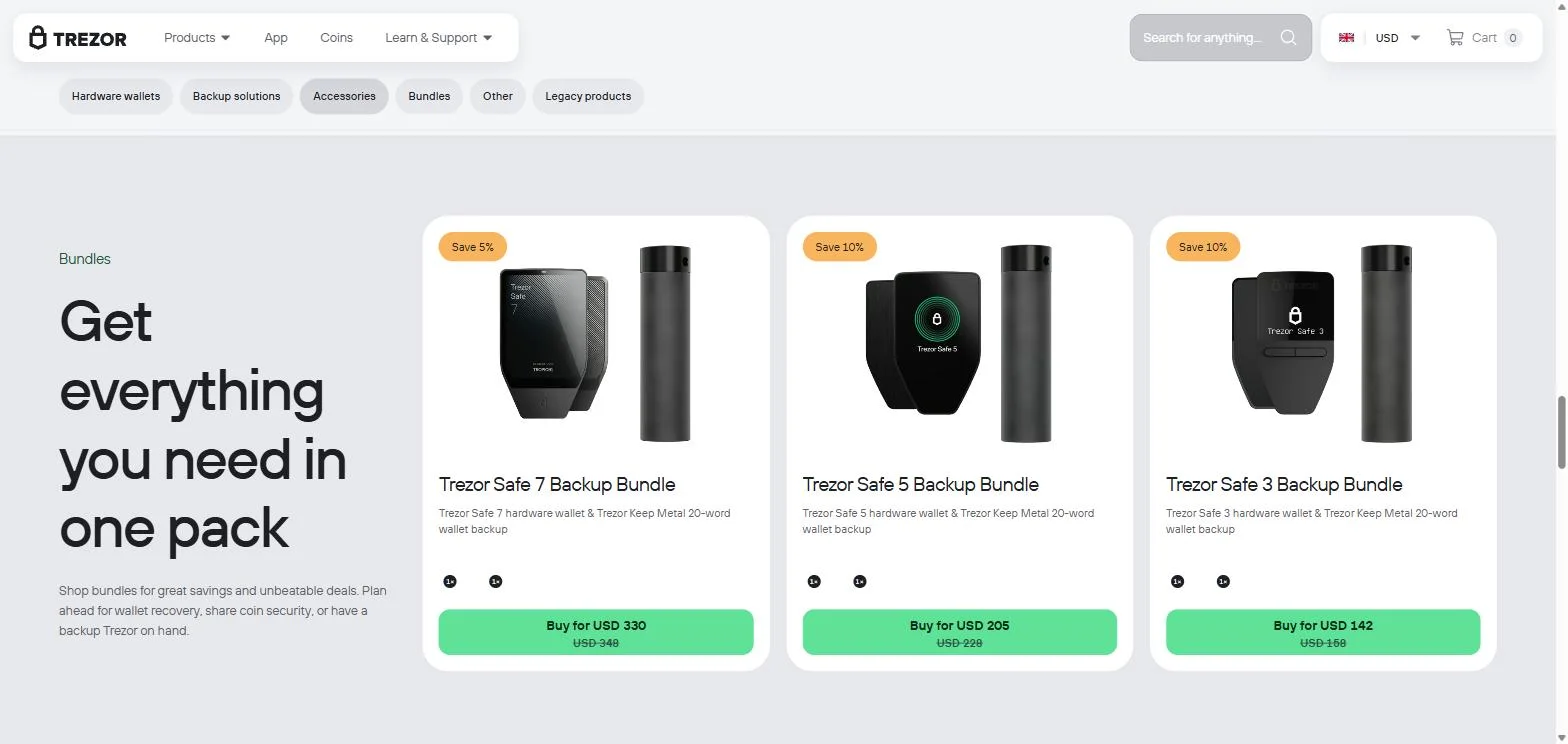
Three bundles, each pairing a wallet with a Keep Metal 20-word backup:
Safe 3 Backup Bundle — USD 142 instead of USD 158. Saves USD 16, about 10 percent.
Safe 5 Backup Bundle — USD 205 instead of USD 228. Saves USD 23, about 10 percent.
Safe 7 Backup Bundle — USD 330 instead of USD 348. Saves USD 18, about 5 percent.
The pattern is worth noticing: the two cheaper bundles discount at 10 percent, the expensive one at 5. Spend more, save proportionally less. It is a small thing and entirely legitimate, but it does mean the bundle is a better deal at the bottom of the range than at the top.
For anyone buying their first Trezor, the Safe 3 or Safe 5 bundle is the most sensible single line item in this entire catalogue: a wallet and a permanent backup, together, for less than the parts cost separately.
What Trezor no longer sells
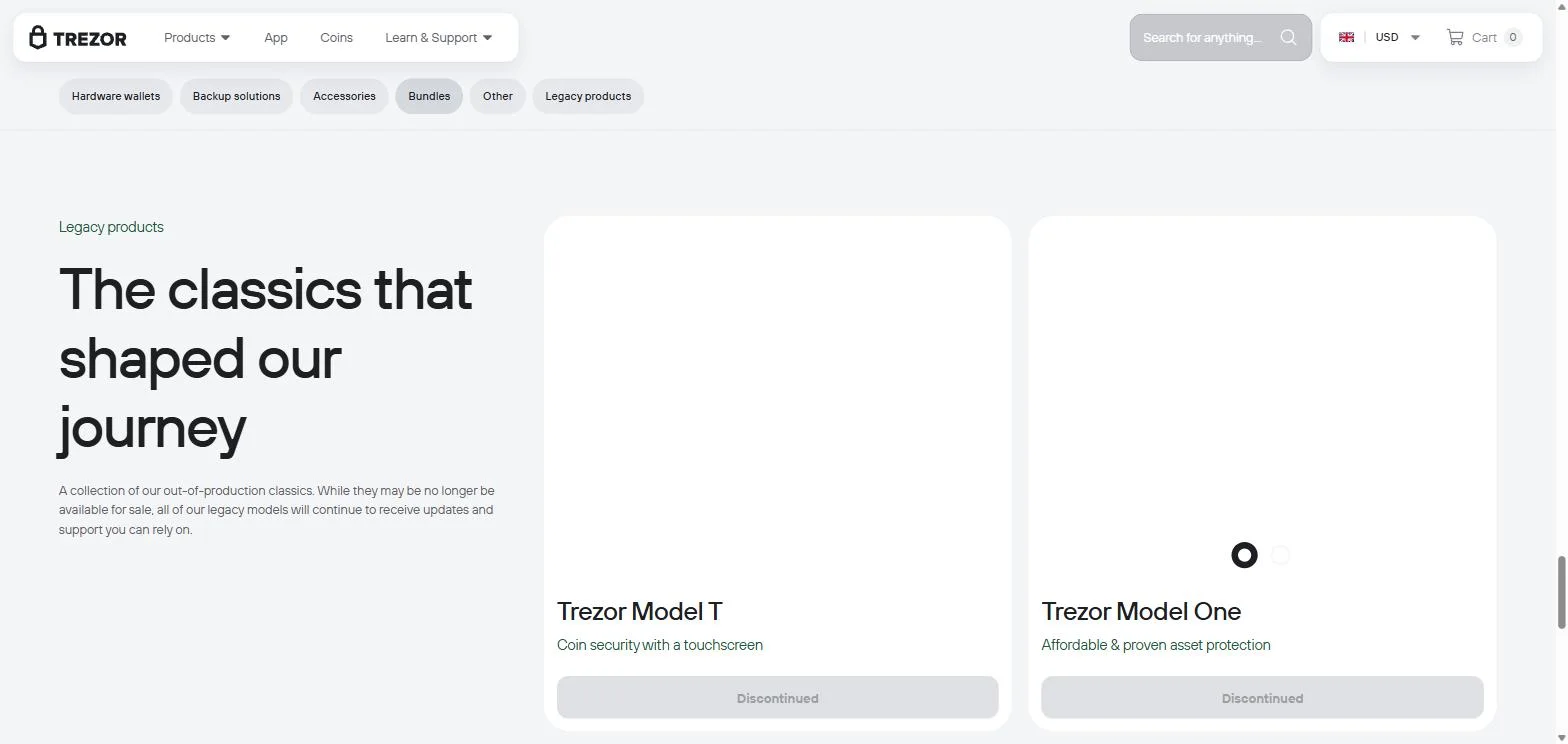
The legacy shelf is short, and it tells you something.
Trezor Model One — discontinued. The device that created the category in 2013. For years it was the answer to "what is the cheapest real hardware wallet", at a price below anything in the current range.
Trezor Model T — discontinued. The original touchscreen flagship.
Both still receive firmware updates and support, which is the right thing to do and not universal in this industry. But the practical consequence for a buyer in 2026 is that the cheapest way into Trezor is now USD 59, and the sub-50-dollar entry point the Model One used to occupy simply does not exist any more. Two consulting products, Expert Onboarding and Expert Consultation, have also been retired.
If you own a Model One or a Model T, you are not abandoned. If you were hoping to buy one, that ship has sailed.
The software, and why it changes which wallet you buy
Every Trezor runs through Trezor Suite, the open-source desktop and web app: portfolio, send and receive, Bitcoin coin control, buying, selling, swapping and staking. It is genuinely good, and it is a fair part of why people stay.
The detail a range review has to flag is that support is not identical across the range. Trezor's own supported-assets page carries a model filter, which exists precisely because the answer differs by device. The clearest example: Monero works on the Safe 3, Safe 5 and Model T through third-party wallets, and is currently not usable on the Safe 7, because Suite does not support XMR natively and third-party app support for the newest device is still pending.
So the flagship is, for one specific asset, less capable than the cheapest model. Check the coin filter for anything unusual you hold before you choose a device, not after.
Buying, returns and warranty
Order from the official Trezor store or an authorised reseller and nowhere else. Supply-chain tampering is the one attack against these devices that needs no laboratory equipment, and a marketplace listing is exactly where it happens.
Returns run 15 days from delivery and only for unopened, sealed products — an opened Trezor cannot be returned. In the USA and UK a prepaid label is provided and its cost deducted from the refund; elsewhere the customer pays return shipping. Warranty is two years for individuals and one year for business customers.
Practically: you cannot open one, try it, and change your mind. Decide before you order, and be clear on what a hardware wallet can and cannot protect you from in the first place.
One more piece of buying hygiene, and it is not paranoia. In August 2026 a third-party fulfilment partner exposed the names, phone numbers and home addresses of 80,689 Trezor customers. No keys, no funds — but in a product category where every published attack begins with physical access, use an email address you do not use elsewhere, and consider a delivery address that is not your home.
What we would actually buy
On USD 160 — the Safe 3 Backup Bundle at USD 142, Bitcoin-only edition if you hold only BTC. A real wallet and a permanent steel backup, and nothing you do not need.
On USD 250 — the Safe 5 Backup Bundle at USD 205, plus the USD 10 bumper. The touchscreen makes address verification bearable, and the newer microcontroller is the meaningful hardware difference in the range. This is the sweet spot.
On USD 450 — the Safe 7 Backup Bundle at USD 330, plus the privacy screen at USD 20. Skip the charger and the case unless you genuinely want them; they are comfort, not security. Check current configurations and stock here.
On any budget — buy the Keep Metal. It is the only item in the catalogue that protects against the thing that actually happens to people. If you are new to this, read how to set up a self-custody wallet responsibly before you spend anything.
Bottom line
The Trezor catalogue is honest but front-loaded: the headline prices are real, and the things that make a wallet genuinely durable — the steel backup, the Bitcoin-only firmware, buying direct — sit around the edges of the shop rather than in the hero image.
Read the range as three tiers of screen and build wrapped around identical security intent, pick the tier your eyes and your habits justify, and put the difference into a metal backup rather than a leather case. The full Trezor range and current pricing is on the official store, and the one thing worth spending on beyond the device is the one thing most buyers skip.